
01
Multiple master orientations
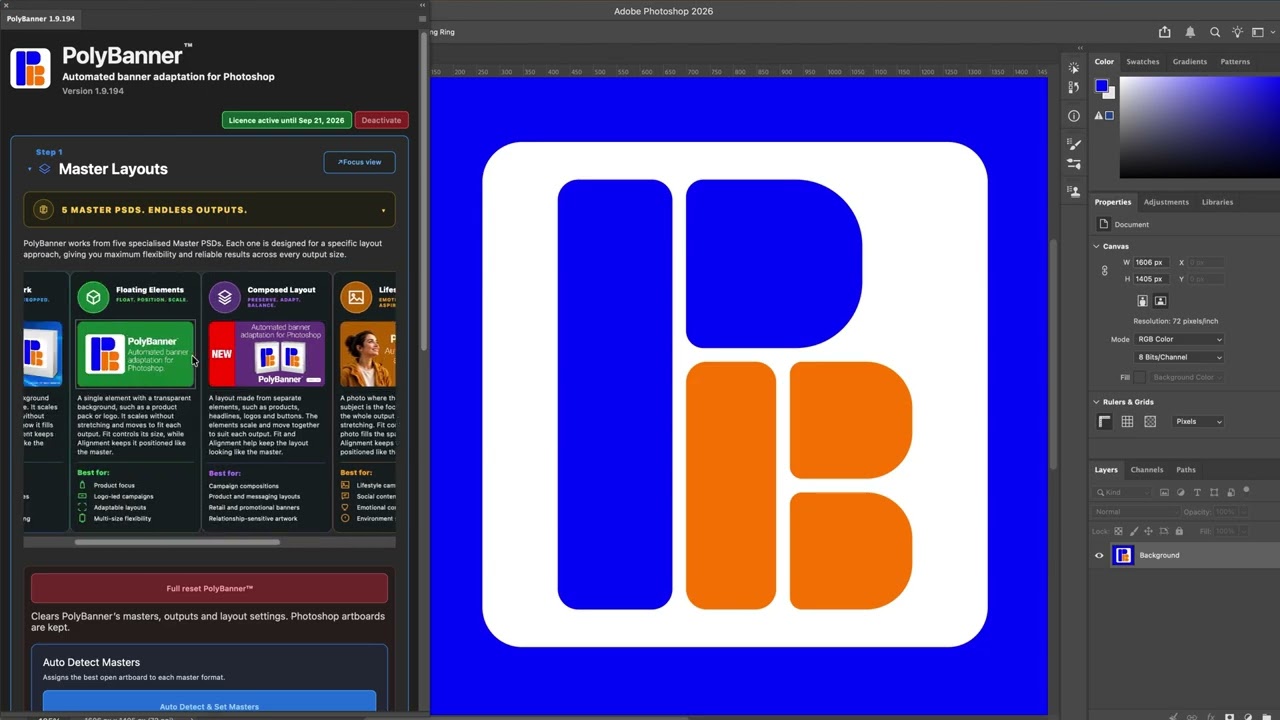
Use Horizontal, Vertical, Square and Extreme Horizontal master artwork to drive the right outputs.
PolyBanner™ is a Photoshop plugin that adapts approved master artwork into multiple banner sizes, while preserving layout intent, positioning and production control.
Join the free PolyBanner™ Beta and help shape the final release.
Join the Free BetaPolyBanner™ handles the repetitive adaptation work while keeping the decisions that matter in your hands. Explore the multi-size banner workflow.
Use Horizontal, Vertical, Square and Extreme Horizontal master artwork to drive the right outputs.
Paste a complete media schedule and generate large groups of banner dimensions in one workflow.
Save and reuse layout behaviour for packs, logos, taglines, messages, legal copy and calls to action.
Fine-tune selected sizes without changing every output in the campaign.
Regenerate selected outputs in place instead of creating messy duplicate artboards.
Follow built-in tutorials and use the included sample PSD to get moving quickly.
Set up approved artwork using the supported layer categories and Smart Objects.
Enter or paste the required dimensions from your campaign schedule.
Choose how artwork should fit, align and preserve its position across each format.
Create the output artboards, review them and adjust only the sizes that need attention.
Follow six practical lessons covering the interface, recommended workflow, PSD setup, mapping, output sizes, layout profiles, generation and export.
 2:44
2:44
Understand the Master Layout, Outputs, Layout Profiles and Generate sections before building your first multi-size campaign.
Use the full PolyBanner™ feature set for 30 days and help improve the production workflow before public launch.
30 days from registration
Register for Free BetaSecure registration through Stripe. By registering, you agree to the Beta Terms and acknowledge the Privacy Notice.
Both paid options include immediate full access to PolyBanner™, activation on up to two devices and fair purchase protection.
Equivalent to A$5.75/month, billed annually.Ideal for freelancers and studios that prefer a lower upfront cost.
By selecting Buy Annual Licence, you agree to the Commercial Terms and acknowledge the Privacy Notice.
Save A$146 over five years compared with five Annual payments at today’s price.One payment for ongoing access to the current PolyBanner™ product line.
Annual member or eligible Beta founder? Enter the email attached to your PolyBanner™ licence or registration. Your private offer will be calculated by PolyBanner™ and sent only to that inbox.
By selecting Buy Lifetime Licence, you agree to the Commercial Terms and acknowledge the Privacy Notice.
These are the public Standard prices. Paid licences will become available after Free Beta testing is complete.
PolyBanner™ does not track client names, file names, layer names, artwork contents or project details. Licensing records only the minimum information needed for registration, activation, device limits, version checks and basic product health. Read the Privacy Notice.
Yes. The beta lasts 30 days, requires no payment method and does not automatically become a paid subscription.
No. PolyBanner™ is designed specifically as a Photoshop UXP plugin.
Each licence can be active on up to two devices. You can deactivate a device before moving to another computer.
If PolyBanner™ does not work as described, contact support and we’ll work with you to resolve the issue. If we cannot reasonably fix it, we’ll make it right. The guarantee is designed for genuine product or compatibility problems rather than change-of-mind returns.
Yes. While your Annual term is active, the unused portion of that current term is credited toward your eligible Lifetime price. Standard Annual members also receive an A$179 Lifetime loyalty price from 30 days before renewal until 30 days after expiry when that is the lower price. Previous Annual payments do not stack. Your existing licence and device activations can stay in place.
No card-first trial is planned. Paid licences provide immediate full access. You can start with Annual and move to Lifetime later under the Annual-to-Lifetime upgrade policy.
Annual licences include updates while the licence remains active. Lifetime licences include 12 months of updates, after which you can keep using your last eligible version forever. Optional update coverage and future major-version upgrades may be offered separately.
No. Lifetime means you can keep using your last eligible PolyBanner™ version without a recurring licence fee. Future major-version upgrades may be offered separately.
PolyBanner™ requires an internet connection when Photoshop starts to verify your licence. If the licence server becomes temporarily unavailable afterward, PolyBanner can continue during the current verified Photoshop session.
No. Your artwork and project content are not uploaded or tracked by the licensing system.